
Download Potato Screen Capture – Free, Secure, Lightweight Screen Capture Tool for Windows, Mac, Android & iOS
Looking for a simple, fast, and secure way to capture your screen? Potato Screen Capture is a lightweight, no-installation screen capture tool designed for users who want to take high-quality screenshots without the clutter. Whether you're a blogger, content creator, student, or professional, this free software makes it easy to capture full screen, active window, or custom screen areas with just a few clicks.
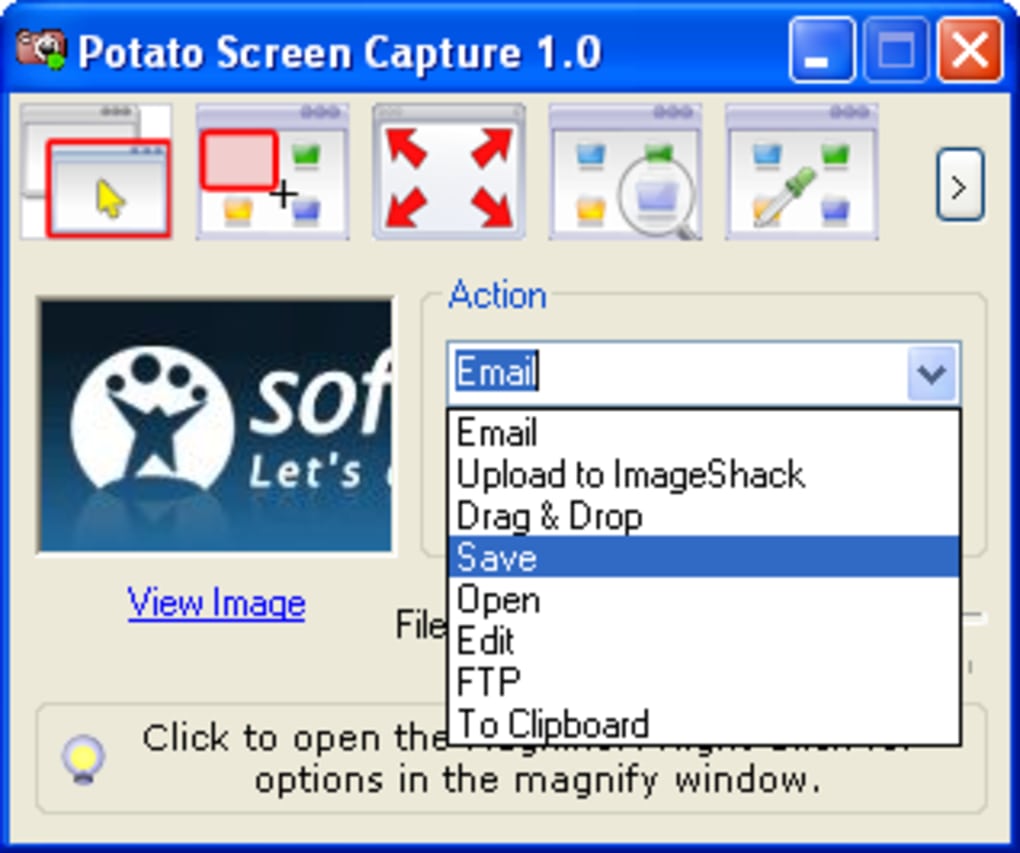
With built-in tools like a magnifying window and color picker, Potato Screen Capture streamlines the process of creating visual content. It supports quick saving, clipboard copying, FTP uploads, and direct email sharing—ideal for those who need efficiency and flexibility. Best of all, it's completely free and compatible with Windows, Mac, Android, and iOS, making it one of the most accessible screen capture tools available today.
Simple & Powerful Screen Capture Modes
One of the standout features of Potato Screen Capture is its intuitive interface and straightforward capture modes. The software offers three primary capture options: full screen, active window, and user-defined area. This flexibility ensures that whether you're documenting an entire webpage, capturing a specific application window, or highlighting a precise section of your screen, the tool adapts seamlessly. The full screen mode is perfect for capturing entire web pages or desktop layouts, while the active window option is ideal for isolating a single application or dialog box. The customizable area mode gives you full control—just click and drag to select the exact region you want to capture, making it ideal for tutorials, UI design, or highlighting specific content.
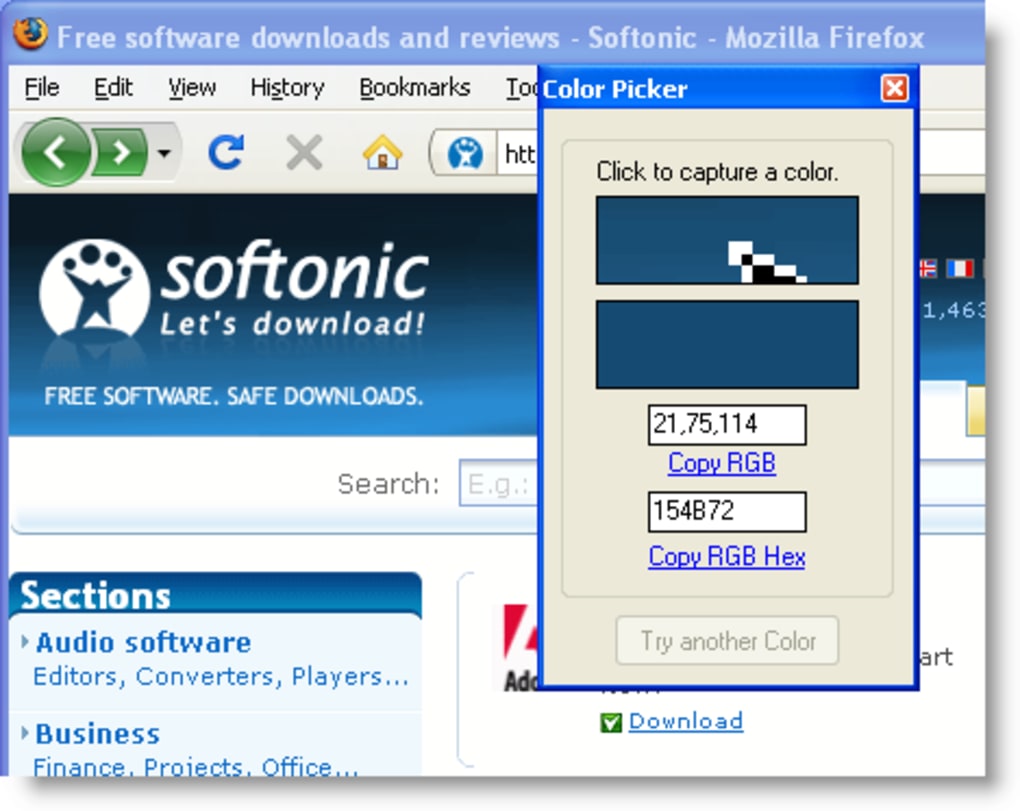
What truly enhances usability is the inclusion of a magnifying window, which appears during selection to help you pinpoint exact pixels. This is especially useful when working with small text, icons, or intricate designs. The color picker tool allows you to instantly identify RGB or HEX values of any color on-screen, a must-have for designers and developers.
These tools are integrated directly into the capture workflow, so you don’t need to switch between applications. The software also supports real-time feedback—once you’ve selected an area, you can immediately see the preview before finalizing the capture. This reduces errors and ensures precision.
Best of all, there’s no need to install anything—just download the portable version and run it instantly. It’s perfect for users who value privacy and minimal setup.
Flexible Output Options & Seamless Sharing
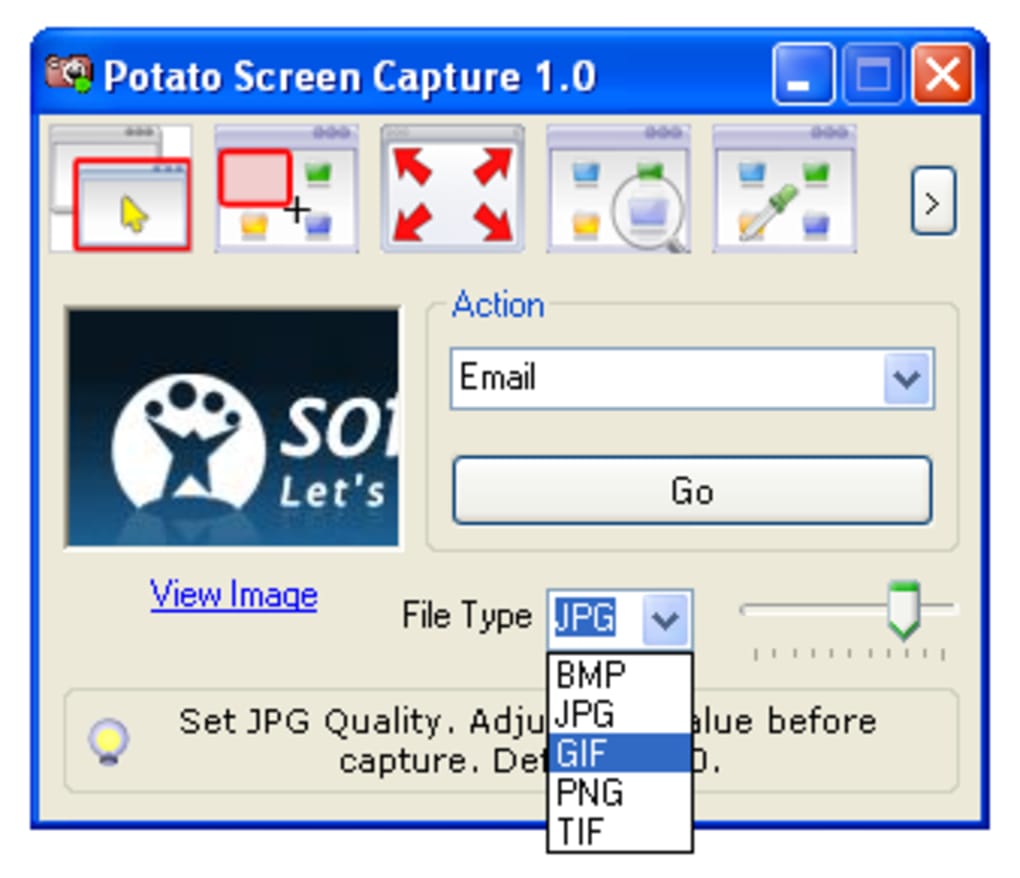
After capturing your screen, Potato Screen Capture gives you multiple ways to use the image—no extra software required. You can save the screenshot directly to your computer with customizable file formats (PNG, JPG, BMP), copy it to the clipboard for immediate use in documents or presentations, or drag and drop it into any application. For users who frequently share content, the built-in FTP upload feature is a game-changer. It allows you to automatically upload your screenshots to a remote server, which is incredibly useful for bloggers, webmasters, or teams working on shared content platforms.
Another convenient option is the ability to send your screenshots via email directly from the app—though this requires a Gmail account. While this may limit some users, it’s a smart integration for those already using Google’s ecosystem. The tool also supports quick sharing through drag-and-drop to other apps like image editors, messaging platforms, or cloud storage services.
This makes it ideal for content creators who need to publish screenshots fast. The entire workflow is streamlined: capture → edit (if needed) → share. Despite its simplicity, the tool handles high-resolution images without lag or quality loss.
It’s lightweight, so even older systems won’t experience slowdowns. Whether you're creating a tutorial, reporting a bug, or documenting a process, Potato Screen Capture ensures your visuals are clear, professional, and ready to use—without the complexity of heavy-duty alternatives.
Compatibility & Easy Setup Across Devices
Potato Screen Capture is designed with cross-platform compatibility in mind, supporting Windows, Mac, Android, and iOS devices. This versatility makes it one of the most accessible screen capture tools available. For desktop users, the software is available as a portable application—no installation required.
Simply download the file, extract it, and run the executable. This is perfect for users who prefer not to modify their system settings or work on shared computers. On Mac, the app runs smoothly on macOS 10.12 and later, while Windows users can use it on Windows 7 through Windows 11 without any compatibility issues.
For mobile users, the Android and iOS versions offer a simplified but effective interface. While the mobile versions don’t include all desktop features (like FTP upload), they do support full-screen and area capture, clipboard integration, and direct sharing to social media or cloud services. The mobile apps are lightweight and consume minimal battery, making them ideal for quick captures on the go.
The consistent design across platforms ensures a familiar experience, so once you learn one version, you can easily switch between devices. The developers also provide regular updates to fix bugs, improve performance, and enhance security. These updates are delivered automatically, ensuring your tool stays current and protected.
With its minimal footprint and broad compatibility, Potato Screen Capture is an excellent choice for anyone who needs a reliable, free screen capture tool across multiple devices.
Pros & Cons: Is Potato Screen Capture Right for You?
- Pros:
- Free to download and use with no hidden costs
- Lightweight and portable—no installation needed
- Supports multiple capture modes: full screen, active window, custom area
- Includes useful tools: magnifying window and color picker
- Multiple output options: save, copy to clipboard, FTP upload, email
- Compatible with Windows, Mac, Android, and iOS
- Regular updates for security and performance
- Cons:
- No customizable keyboard shortcuts for capture modes
- Limited image editing features (no crop, annotate, or blur tools)
- Email sharing requires a Gmail account
- Mobile versions lack advanced features like FTP upload
- Minimal user customization options
Frequently Asked Questions (FAQ)
Is Potato Screen Capture free to use?
Yes, Potato Screen Capture is completely free to download and use. There are no subscription fees, trial periods, or premium features locked behind paywalls. The software is supported by non-intrusive ads, which do not affect performance.
Can I use Potato Screen Capture without installing it?
Absolutely. The desktop version is available as a portable app. Simply download the file, extract it, and run the executable. No installation or system changes are required—ideal for temporary use or shared computers.
Does Potato Screen Capture work on Mac and mobile devices?
Yes, it supports macOS 10.12 and later, as well as Android and iOS devices. The mobile versions offer core capture features and are optimized for touchscreens.
Why does email sharing require a Gmail account?
The email integration is built using Google’s API, which requires a Gmail account for authentication. This ensures secure and reliable email delivery. Users can still copy the image to the clipboard or use third-party email clients.
Are there keyboard shortcuts available?
Currently, Potato Screen Capture does not support customizable keyboard shortcuts. However, the tool is designed for quick access via the system tray and right-click menu.
Final Verdict: A Must-Try for Simple Screen Capture Needs
If you're looking for a free, secure, and lightweight screen capture tool that gets the job done without complexity, Potato Screen Capture is an excellent choice. It excels in simplicity, speed, and cross-platform compatibility. While it lacks advanced editing tools and keyboard shortcuts, its core functionality is solid and reliable. Whether you're a blogger, educator, or casual user, the ability to capture and share screenshots instantly is invaluable. The inclusion of a magnifier and color picker adds professional touches, and the FTP and email sharing options make content distribution seamless.
For users who prioritize ease of use over advanced features, this tool delivers exactly what it promises. Download Potato Screen Capture today and experience hassle-free screen capturing on Windows, Mac, Android, or iOS. It’s free, secure, and ready to use in seconds.
Download now and take control of your screen capture workflow!







